An engagement tracker gives the client sponsor a running view of a consulting project: which phase it’s in, what’s finished, what the team needs from the client and when the final deliverable lands. Waypoint keeps it on one link, so the steering-committee update is already written.
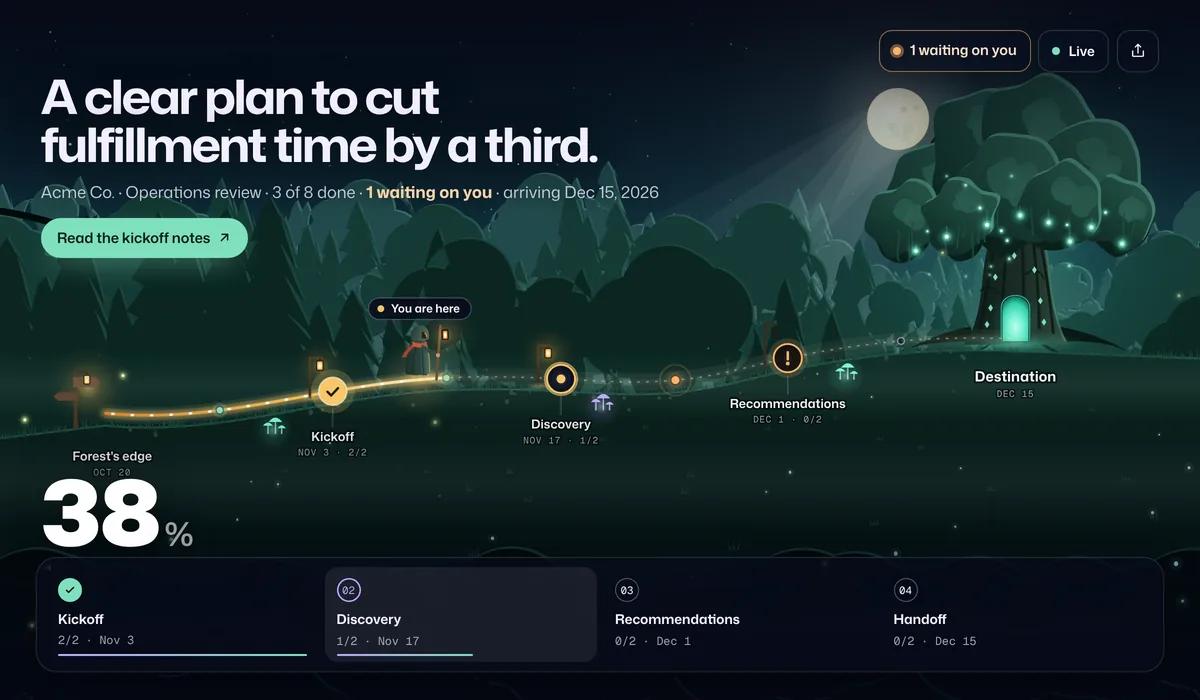
What sponsors see
- The phase and progress. Kickoff, discovery, recommendations, handoff, with progress counted from finished work.
- What you need from them. Data, access, interviews to schedule or decisions, shown as “waiting on you” with your note.
- Links to the work. A button on a stop for the kickoff notes, and the final report at the finish line.
- A summary since their last visit. Useful for sponsors who check in once a week.
An example engagement timeline
| Stop | When | What’s in it |
|---|---|---|
| Kickoff | Week 1 | Kickoff meeting, data and access shared |
| Discovery | Weeks 2–4 | Stakeholder interviews, current-state review |
| Recommendations | Weeks 5–7 | Findings, options and recommendations |
| Handoff | Week 8 | Final presentation, next-step plan |
Most delays come from waiting on the client’s data and access, so ask for both at kickoff and keep them on the page until they arrive.
Set it up
- Start from the consulting engagement template, or the client onboarding template for implementation work.
- Rename it for the client and set the dates in your statement of work.
- Mark data requests as waiting on the client, with a note saying exactly what you need.
- Add buttons for the kickoff notes and, at the finish line, the final report.
- Share the link with the sponsor and anyone they want to forward it to.
Compared with the usual ways
| How you update clients | Good for | Where it falls short |
|---|---|---|
| Status decks | Steering committees | Hours to build, and out of date the day after |
| Weekly email updates | Narrative and decisions | Requests get buried, so data arrives late |
| A shared project plan | Detailed workstreams | Too much detail for a sponsor checking in |
| Waypoint | A live view of phase, progress and requests | It’s not a document store; link to your files instead |
Frequently asked questions
How do I keep a client sponsor updated during an engagement?
Give the sponsor one live link at kickoff. It shows the phase, progress, upcoming dates and what you need from them, and it updates as your team ticks off work, so a weekly check-in takes a glance.
Can it track what we need from the client?
Yes. Mark a task as blocked and waiting on the client, with a one-line note. It appears at the top of the sponsor’s page until you mark it done.
Can I hand off the final report through it?
Yes. Add a finish-line button with the report’s link. It appears when the engagement is done, and the address isn’t sent to the browser before then.
Does it work for client onboarding?
Yes. The client onboarding template covers kickoff, setup, training and go-live, and works the same way.
How much does it cost?
Free includes one active journey with a live link and email updates for clients. Starter is $9 a month or $72 a year for up to 5 journeys, Pro is $29 a month or $228 a year for unlimited journeys, 3 editors and your logo and brand color on live links and client emails, and Agency is $99 a month or $828 a year for up to 20 editors. Every account starts with 14 days of Pro, no card needed. Clients who open a live link never count as editors.