A project timeline is the planned sequence of a project’s milestones and tasks laid out against dates, from kickoff to the final deliverable. It shows what happens when, in what order, and how far along the project is at any moment.
1. Website launch timeline (6 weeks)
A six-week relaunch for a small business or agency client. Design sign-off is the milestone most likely to slip, so give it a fixed date and a named approver.
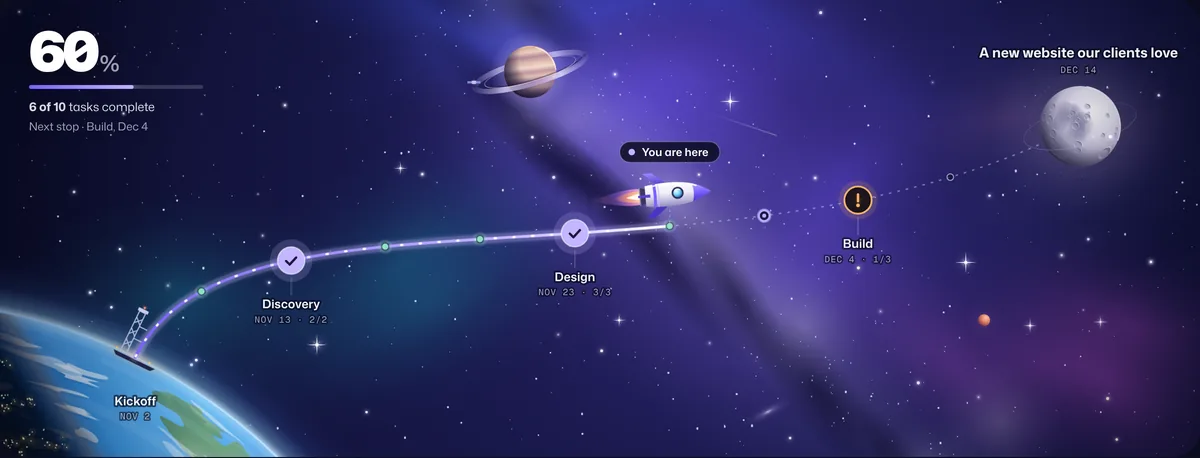
| Milestone | When | Key tasks |
|---|---|---|
| Discovery | Week 1 | Kickoff call, sitemap and content plan, collect logins and brand assets |
| Design | Weeks 2–3 | Wireframes, homepage design, inner pages, design sign-off |
| Build | Weeks 4–5 | Page templates, forms connected to the CRM, redirects and SEO |
| Launch | Week 6 | QA on phones and desktops, go live, post-launch check-in |
2. Product launch timeline (10 weeks)
A first release of a new product or feature. Keep the beta milestone even when you’re short on time: it’s where the issues that would sink the launch show up.
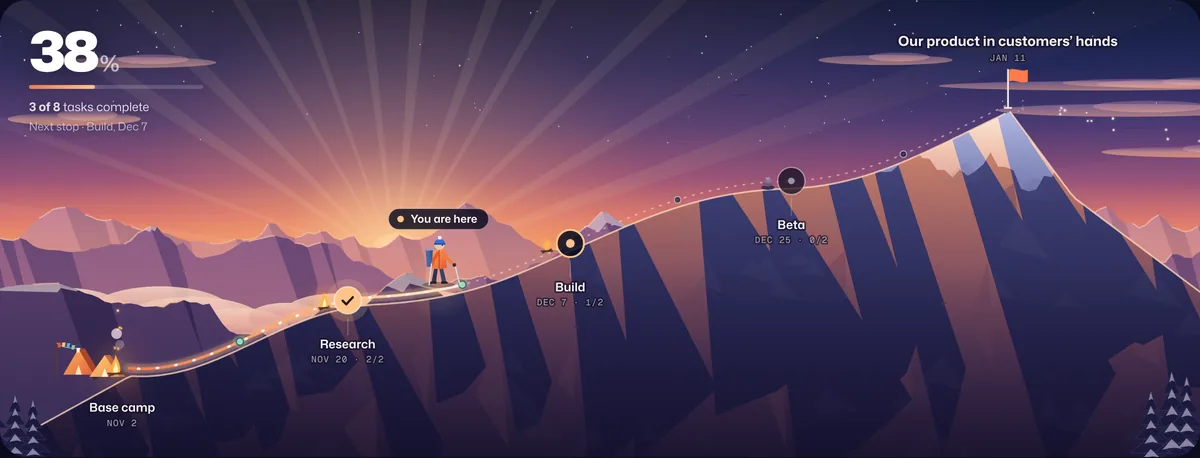
| Milestone | When | Key tasks |
|---|---|---|
| Research | Weeks 1–2 | Customer interviews, define the MVP, success measures |
| Build | Weeks 3–6 | Core features, billing and accounts, analytics |
| Beta | Weeks 7–8 | Invite beta users, fix the top issues, pricing check |
| Launch | Weeks 9–10 | Launch announcement, go live, first-week review |
3. Client onboarding timeline (4 weeks)
Getting a new client set up and using what they bought. Most delays come from waiting on the client’s access and data, so ask for both at kickoff.
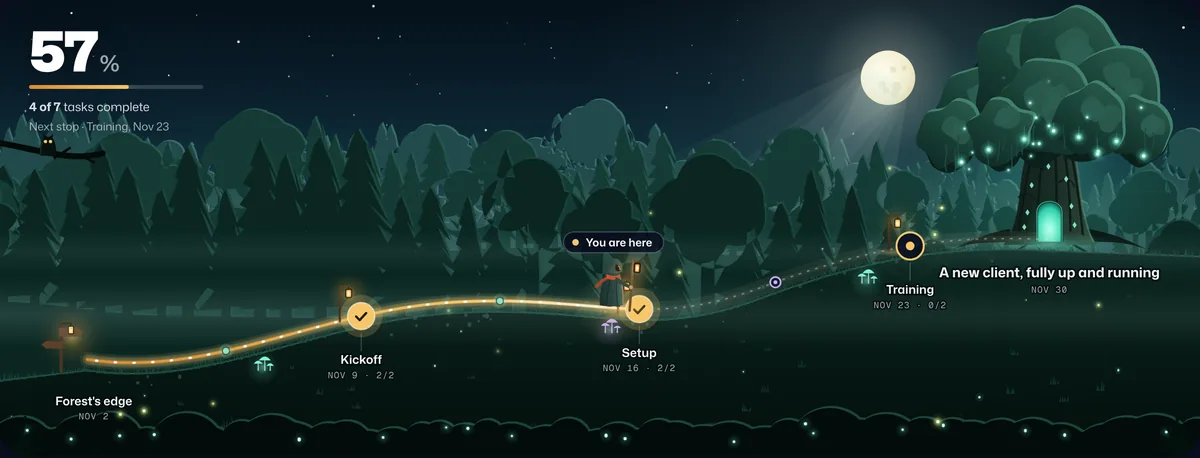
| Milestone | When | Key tasks |
|---|---|---|
| Kickoff | Week 1 | Welcome call, collect access and assets, agree goals |
| Setup | Week 2 | Configure the account, import their data |
| Training | Week 3 | Team training session, share the playbook |
| Live | Week 4 | First check-in, hand over to the ongoing team |
4. Marketing campaign timeline (6 weeks)
A campaign from plan to results. Put the report on the timeline from the start; campaigns that only end at “launch” never get measured.
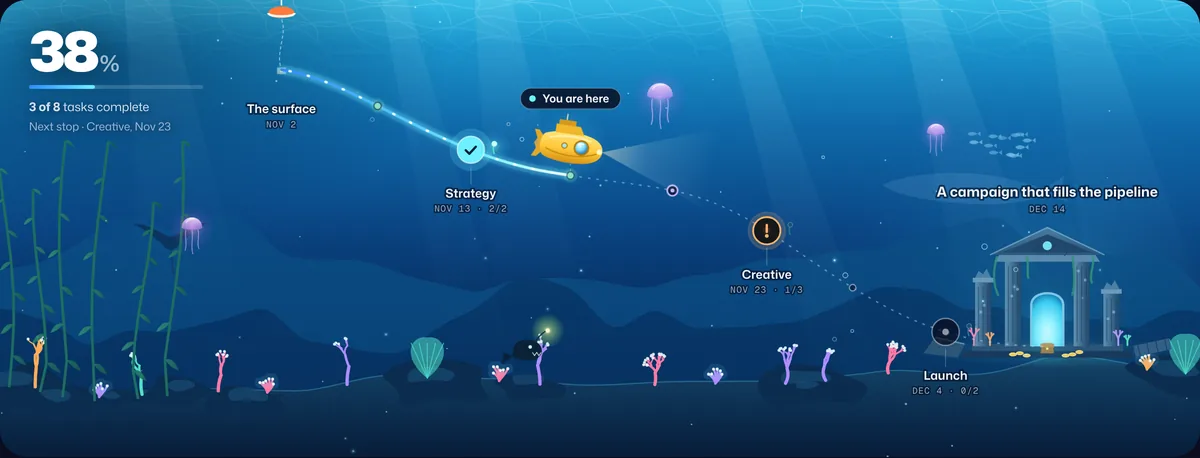
| Milestone | When | Key tasks |
|---|---|---|
| Strategy | Week 1 | Goals and audience, channel plan, budget |
| Creative | Weeks 2–3 | Copy, design assets, landing page |
| Launch | Week 4 | Ads live, email send, tracking checked |
| Report | Weeks 5–6 | Results review, what to keep and cut |
5. Event timeline (8 weeks)
A conference, launch party or workshop. The venue and date drive everything else, so the first milestone is about locking them down.
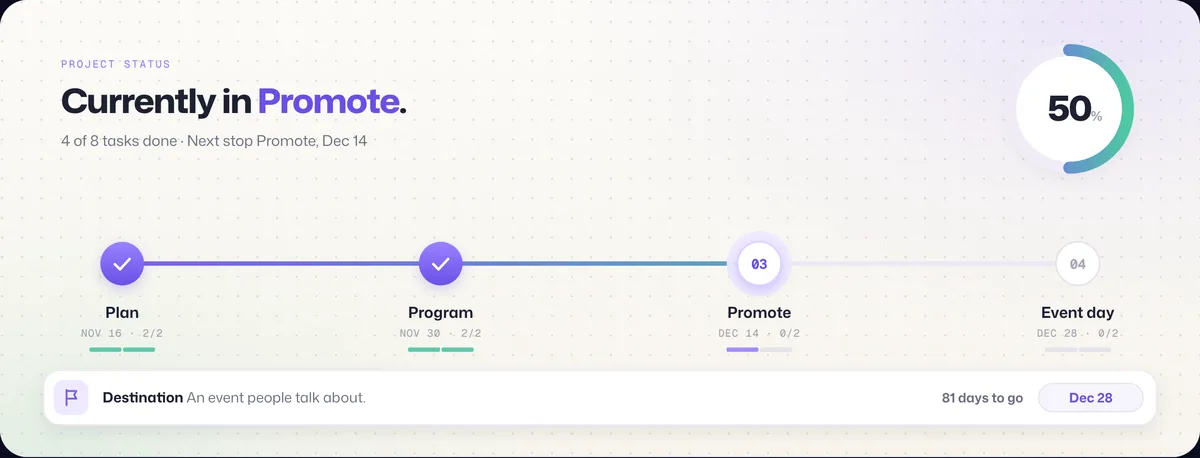
| Milestone | When | Key tasks |
|---|---|---|
| Plan | Weeks 1–2 | Budget and date, book the venue |
| Program | Weeks 3–4 | Confirm speakers, run of show |
| Promote | Weeks 5–7 | Invitations out, registration page, reminders |
| Event day | Week 8 | Setup and rehearsal, doors open, follow-up |
6. Office move timeline (8 weeks)
Moving a team to a new space. Internet and access are the classic last-minute surprise, so they sit in the Prepare milestone, weeks before the move.
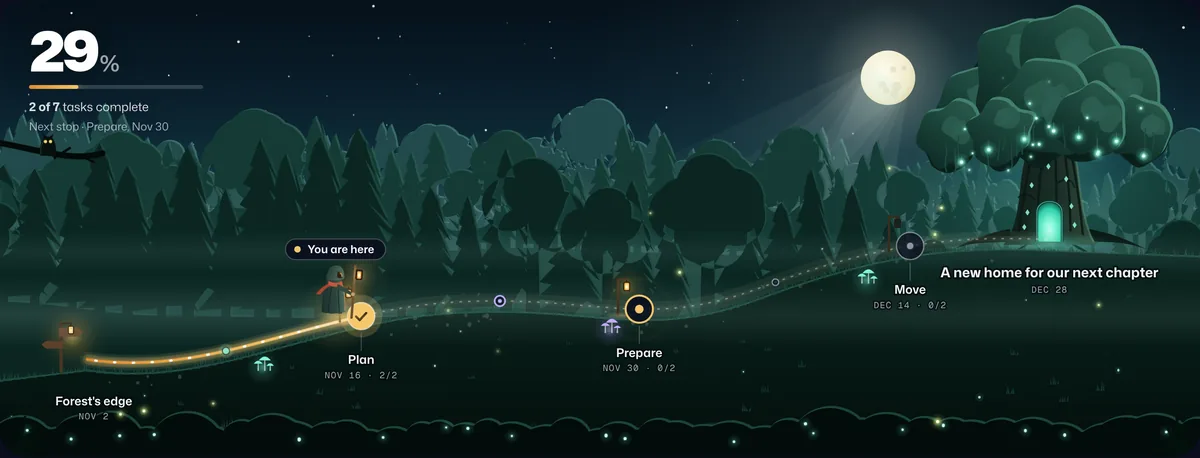
| Milestone | When | Key tasks |
|---|---|---|
| Plan | Weeks 1–2 | Choose the space, sign the lease, moving budget |
| Prepare | Weeks 3–5 | Order furniture, set up internet and access |
| Move | Weeks 6–7 | Pack and label, moving day |
| Settle in | Week 8 | Fix what’s missing, housewarming |
How to build a project timeline
- Start from the destination. Write the outcome in one sentence and set the date it has to land.
- Work backwards into three to six milestones. Each one should be a point where something is visibly finished: designs approved, beta live, venue booked.
- List the tasks under each milestone. A task is something one person can finish. If it takes more than a week or two, split it.
- Date the milestones, then the tasks. Leave 10 to 20 percent buffer before the final date; something always takes longer.
- Mark what depends on someone else. Client approvals, access and content are the usual delays. Put dates on them too.
- Share it and keep it live. A timeline that only lives in a slide is out of date by week two. Track progress from finished tasks so everyone sees where the project really is.
Timeline, roadmap and Gantt chart: what’s the difference?
| Format | What it shows | Best for |
|---|---|---|
| Project timeline | Milestones and tasks in order, against dates | One project with a clear finish date |
| Roadmap | Themes and goals over months or quarters, often without exact dates | Product direction and long-term plans |
| Gantt chart | Every task as a bar with start, end and dependencies | Detailed scheduling of complex projects |
| Live progress journey | Where the project is right now on its route to the destination | Showing progress to clients and stakeholders |
Frequently asked questions
How long should a project timeline be?
As long as the work needs, but most client projects fit in 4 to 12 weeks. If a timeline runs past three months, break it into phases with their own milestones and review dates.
How many milestones should a project have?
Three to six for most projects. Fewer and progress feels invisible for weeks; more and milestones turn into task lists.
What is the difference between a project timeline and a project schedule?
A timeline shows the sequence of milestones and major tasks against dates. A schedule adds detail: every task with start and end dates, owners and dependencies. Teams often share the timeline and work from the schedule.
How do I show a project timeline to clients?
Share it as something that updates: a live link that shows milestones, progress from finished tasks and the target date. Waypoint turns your task list into that kind of live journey, and clients open it without an account.
Is there a free project timeline maker?
Yes. Waypoint’s Free plan includes one active journey with a live link, and new accounts get 14 days of Pro with no card. All six examples on this page are built-in templates.