A remodel progress tracker is a page the homeowner can check at any time to see which stage the job is in, what’s next, what’s waiting on an inspection or on them, and when the final walkthrough is. With Waypoint it’s one link per job that you update from your phone.
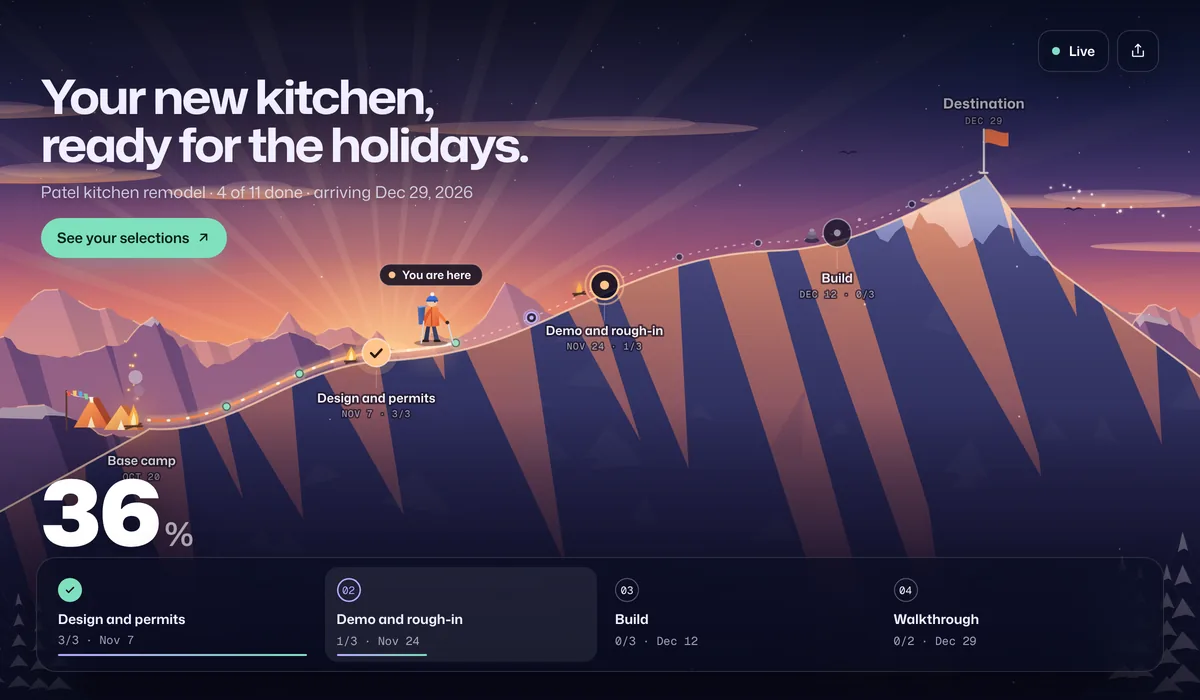
What homeowners see
- Which stage the job is in. Permits, demo and rough-in, build, walkthrough, with progress from finished steps.
- What’s holding things up. Mark a step as waiting on the city for an inspection, or on the homeowner for a decision, and they see which it is.
- Their selections and documents. A button on a stop can open the selections board, the plans or the warranty and care guide.
- The walkthrough date. The target date and a countdown, so “when will it be done?” has an answer.
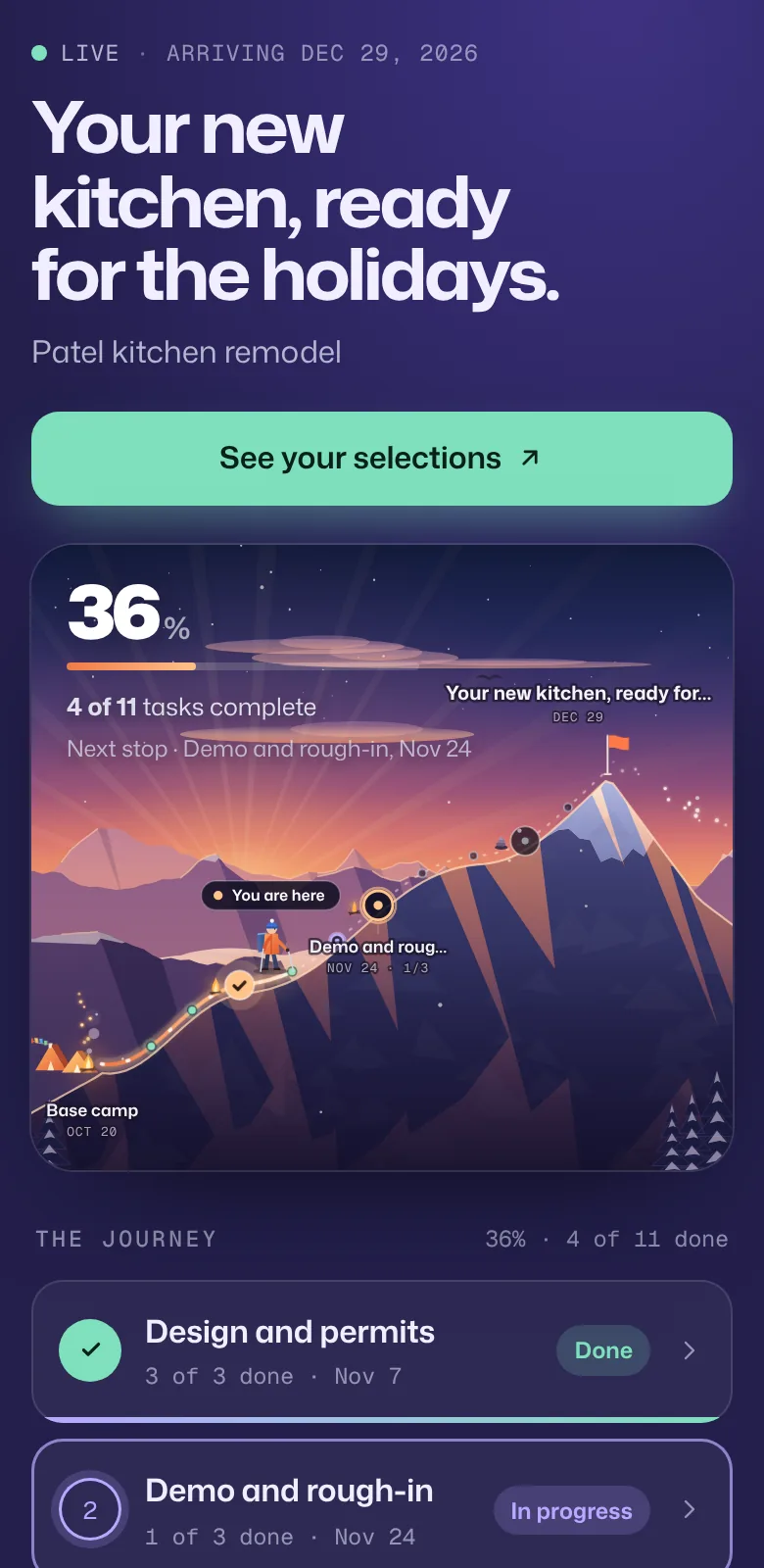
An example kitchen remodel timeline
Timelines depend on scope, permits and lead times on cabinets and counters. This is the shape of the starter template over ten weeks:
| Stop | When | What’s in it |
|---|---|---|
| Design and permits | Weeks 1–3 | Measurements and design, selections finalized, permits approved |
| Demo and rough-in | Weeks 4–5 | Demolition, plumbing and electrical rough-in, rough inspection |
| Build | Weeks 6–9 | Cabinets and fixtures, countertops, paint and finishes |
| Walkthrough | Week 10 | Punch list, final walkthrough |
Set it up
- Start from the home remodel template and rename it for the job, for example “Patel kitchen remodel”.
- Set the dates for each stage and the walkthrough.
- Add buttons for the selections board, the plans or the care guide.
- Text the homeowner the link. It opens in their phone’s browser.
- Tick steps off from the job site. The homeowner’s page updates on its own.
Compared with the usual ways
| How you update clients | Good for | Where it falls short |
|---|---|---|
| Phone calls and texts | Quick questions on site | Interruptions all day, and nothing written down |
| Construction management software | Bids, budgets and crews | Often more than homeowners need, behind a login |
| Weekly email updates | A record of decisions | Easy to skip when the job is busy |
| Waypoint | A simple view of where the job is | It doesn’t do estimates, invoicing or scheduling crews |
Frequently asked questions
How can contractors keep homeowners updated on a remodel?
Send each homeowner one live link at the start of the job. It shows the stages, what’s done, what’s next, anything waiting on an inspection or on them, and the walkthrough date. You update it by ticking off steps, often from your phone on site.
Do homeowners need to download an app?
No. The link opens in any phone or computer browser, with no account and nothing to install.
Can I show inspections and permit status?
Yes. Add them as steps with dates. When you’re waiting on the city, mark the step as blocked and waiting on someone else; the homeowner sees “Waiting on others” rather than wondering if work has stopped.
Will homeowners see my crew’s notes or costs?
No. Internal notes and who is assigned never appear on the live link. If you share task names, keep costs out of them, or turn task names off and share only the stages.
Can I run several jobs at once?
Yes. Each job is its own journey and link. Starter includes 5 active journeys and Pro is unlimited. Free includes one active journey with a live link and email updates for clients. Starter is $9 a month or $72 a year for up to 5 journeys, Pro is $29 a month or $228 a year for unlimited journeys, 3 editors and your logo and brand color on live links and client emails, and Agency is $99 a month or $828 a year for up to 20 editors. Every account starts with 14 days of Pro, no card needed. Clients who open a live link never count as editors.