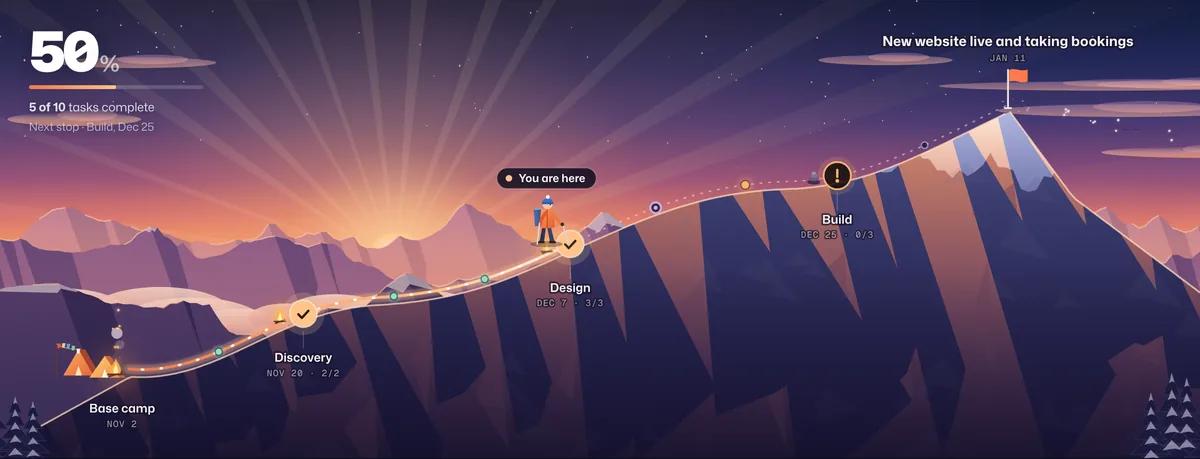
Short answer: HubSpot tracks delivery work with the projects object and tasks, in board and Gantt views. Clients can only see them as users in your HubSpot account, and HubSpot’s customer portal shows tickets, not projects. Waypoint connects to HubSpot directly (in beta): pick a project, a company or deal, or a task queue, and its tasks become a live journey clients open from a link, checked every 15 minutes.
HubSpot’s project and task views
| Feature | What it does | HubSpot plans |
|---|---|---|
| Projects | Projects as CRM records, with pipelines and stages, associated tasks, companies and deals | All plans, once a Super Admin turns on the projects object. Some features need paid seats or tiers. |
| Gantt view | Projects, deals and services on a timeline. Expand one to see its tasks, drag a bar to change dates and complete tasks from the timeline. | All plans |
| Subtasks (beta) | Up to 60 subtasks under a main task | Starter and up (Smart CRM and Revenue Hub: Professional and up), with HubSpot’s betas turned on |
| Task queues | Shared lists of tasks a team works through together | Sales Hub and Service Hub, Starter and up |
How to open the Gantt view
- Go to CRM → Projects. A Super Admin has to turn on the projects object first.
- Open the view type menu at the top right and choose Gantt view.
- Expand a project to see its tasks, filter by task status, or drag a bar to change its dates.
HubSpot Work (in beta) is a separate workspace with its own tables and action items. It isn’t the projects object, and Waypoint doesn’t read it.
Sharing HubSpot projects with clients
| Option | Client needs an account | Uses a paid seat | What the client sees |
|---|---|---|---|
| User with a View-Only seat | Yes, a user in your HubSpot account | No, View-Only seats are free on Starter, Professional and Enterprise | Every record their permissions allow, across your CRM. Permissions can narrow it to their own or their team’s records, object by object. |
| Customer portal (Service Hub Professional and Enterprise) | Yes, a portal login | No | Tickets only. Projects and tasks don’t appear. |
| Gantt screenshot or exported report | No | No | A snapshot that’s out of date as soon as it’s sent |
| Live Waypoint link | No | No | Progress, stops and blockers, with task names and dates only if you choose |
Why HubSpot views are hard for clients
- It’s your CRM. A client user sits next to your contacts, deals and pipeline, and every object needs its permissions set.
- Tasks are reminders for your team. Follow-ups, calls and automated tasks share the same list as the project work.
- The portal is for support. HubSpot’s customer portal is built around tickets, so project progress needs somewhere else.
Connect HubSpot to Waypoint
- Connect HubSpot. In Waypoint, open the HubSpot page and choose Connect HubSpot. HubSpot asks you to pick an account and approve read-only access. A Super Admin, or a user with HubSpot Marketplace Access, has to approve it.
- Pick what to follow. A HubSpot project, the tasks on a company or deal (search by name), or a task queue.
- Choose where the stops come from. Parent tasks become stops and their subtasks become the tasks along the way. Without subtasks, Waypoint groups tasks by due month. You can also group by assignee, or use a single stop.
- Name the destination and share the link. A project’s target date and description fill in the first draft. Stop names, task names and dates are each on or off; assignees and task notes are never shown.
- Keep working in HubSpot. Waypoint checks HubSpot every 15 minutes and moves the journey when a task is completed. It only reads, so nothing changes in HubSpot.
How HubSpot task statuses map
| HubSpot task status | In Waypoint |
|---|---|
| Not started, Deferred | Not started |
| In progress | In progress |
| Waiting | Blocked, flagged on the route |
| Completed | Done, on the day HubSpot completed it |
Frequently asked questions
Does Waypoint connect to HubSpot directly?
Yes. The HubSpot connection is in beta and open to every Waypoint workspace. Connect your HubSpot account once, then pick a project, company, deal or task queue to follow. Waypoint checks it every 15 minutes.
Does Waypoint change anything in HubSpot?
No. Waypoint asks for read-only access and never creates or edits records, tasks or notes in HubSpot. Disconnecting removes its access.
Which HubSpot plans work with Waypoint?
Any HubSpot account with tasks. Projects are available on all plans once a Super Admin turns on the projects object. Subtasks are a HubSpot beta on paid plans; without them, Waypoint groups tasks by due month.
Can clients see HubSpot projects without a HubSpot login?
Not in HubSpot. They would need to be users in your account, and the customer portal shows tickets rather than projects. A Waypoint live link shows the project’s progress to anyone with the link, with no account.
What do clients see from HubSpot?
Progress, stops and anything blocked, plus task names and dates if you choose to share them. Assignees, task notes and the rest of your CRM never appear on the live link.
Does Waypoint work with HubSpot Work?
Not yet. HubSpot Work (in beta) is separate from HubSpot’s projects and tasks, which are what Waypoint reads.